Offline Replay Testing for Production GenAI
A team ships what looks like a harmless prompt update on a Thursday afternoon.
The change is small: tighten the system prompt, add a formatting instruction, and update the routing rule so short factual questions go to a cheaper model. In staging, everything looks fine. The smoke tests pass. The internal demo works. Costs even appear better.
By Friday morning, support tickets start arriving.
Customers say the assistant is suddenly citing outdated policy documents. A few report that refund workflows now take longer because the agent asks redundant clarification questions before calling the billing tool. One enterprise customer notices that the assistant no longer escalates certain compliance questions to the high-reliability route. Nothing is catastrophically broken, but a dozen small regressions have appeared at once: answer quality dropped for a narrow class of requests, retrieval precision got worse on policy-heavy queries, and the new cheap-model route is brittle when the user message is short but ambiguous.
This is the kind of failure that keeps GenAI teams humble. The problem is rarely one obvious bug. It is usually a distribution of tiny behavioral shifts across prompts, retrieval, model selection, reranking, tool usage, memory, and agent policy. Traditional unit tests barely see it. Synthetic benchmark sets help, but they often miss production messiness: malformed customer input, repeated back-and-forth, stale context, adversarial formatting, and long-tail business workflows.
The most reliable way I have seen teams catch these regressions before production is offline replay testing built from real production traces.
The core idea is simple: capture representative traces from the live system, freeze enough of the execution boundary to make comparisons meaningful, and replay those traces against a proposed change. Then compare retrieval sets, tool decisions, route selection, final outputs, latency, and cost using thresholds that reflect business risk rather than gut feel.
This sounds straightforward. In practice, it is one of the more operationally subtle parts of shipping GenAI systems safely. What exactly do you capture? Which dependencies do you freeze versus re-run? How do you compare two non-deterministic LLM outputs? How do you avoid a replay harness that is either too brittle to use or too forgiving to catch regressions?
This article is a practitioner’s guide to building replay testing that engineering teams will actually trust. I will focus on production systems, not toy demos: RAG pipelines, multi-model routers, tool-using assistants, and agentic workflows where prompts are only one moving part.
The pattern: why production GenAI changes fail in clusters
Most regressions in GenAI systems do not come from isolated component failure. They emerge because changes interact across layers.
A prompt change alters query rewriting. That changes embedding inputs. Retrieval results shift slightly. A reranker now prefers documents with more exact lexical overlap. The answer model sees different context and chooses a different tool or no tool at all. Latency improves, but the user-visible answer becomes less grounded on a specific segment of traffic.
If you only evaluate the final answer, you miss where the change entered the system. If you only test retrieval, you miss how the model compensated for retrieval weaknesses. If you only test the prompt in a playground, you miss routing and tool-use side effects.
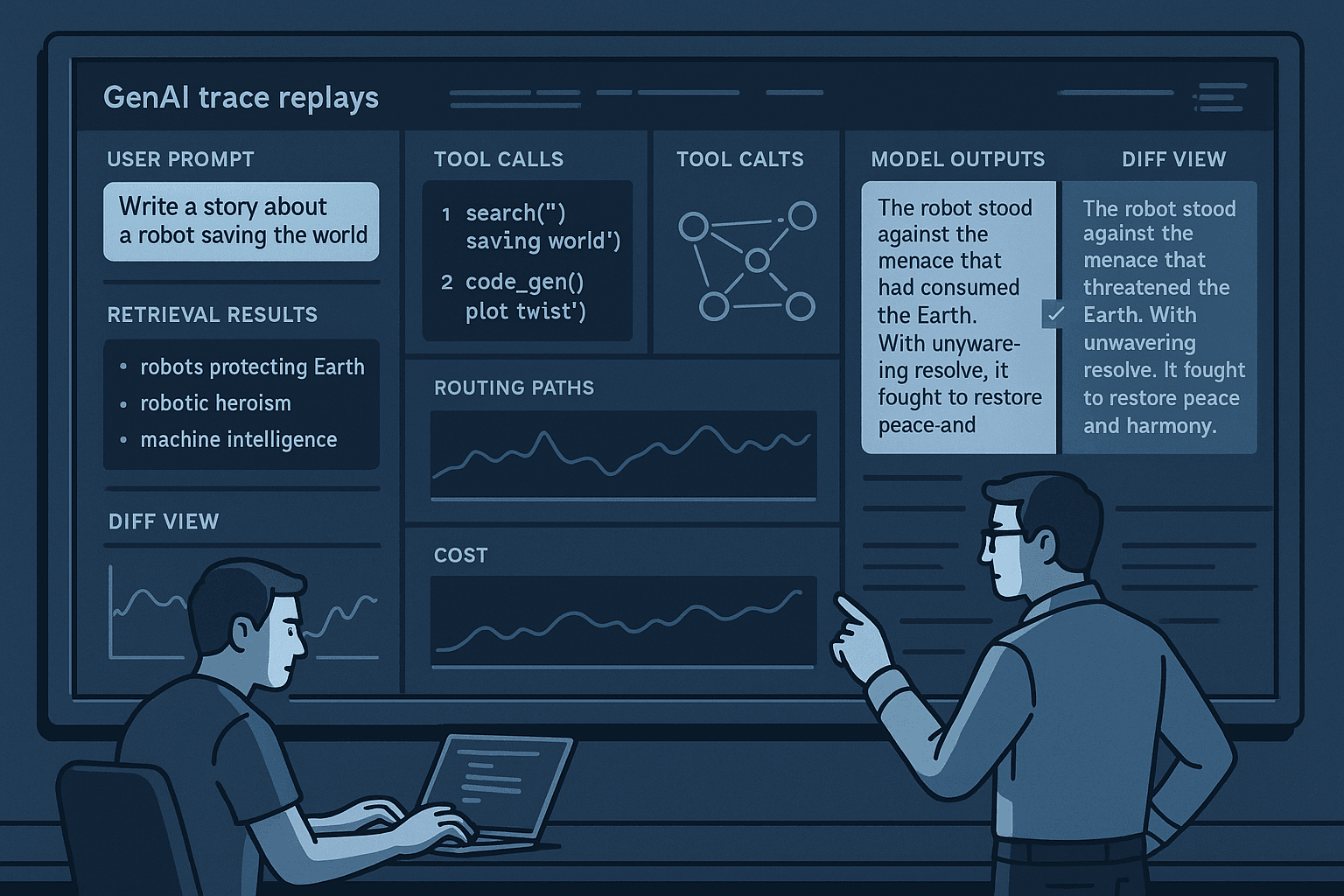
This is why offline replay works well. It lets you inspect the entire path of a real request:
- raw user input
- conversation history available at the time
- routing decision
- retrieval queries and retrieved results
- reranking output
- tool call selection and arguments
- model prompts and responses
- intermediate agent reasoning state, if captured safely
- latency, token usage, and cost
- final user-visible response and metadata
Replay testing turns GenAI evaluation from “did this answer look okay?” into “which behaviors changed, by how much, on which slices, and are those changes acceptable?”
Why the naive approach fails
Many teams start with one of three naive approaches.
1. Replay only the final user prompt
They save the last user message and re-run it against the latest stack. This catches obvious answer regressions, but it loses the production context that often mattered most:
- conversation history
- retrieved docs available at original execution time
- tool outputs observed then
- stateful memory
- feature flags
- policy config
- model/router versions
In conversational and agentic systems, the final message is rarely sufficient to reconstruct the original decision surface.
2. Freeze everything
At the other extreme, teams fully snapshot prompts, retrieved docs, tool outputs, and model inputs, then replay only the final generation call. This is useful for very narrow prompt regression tests, but it cannot validate retrieval, routing, or tool-selection changes because those components are no longer exercised.
You end up proving that your formatting changed, not that your system still works.
3. Re-run everything live
Some teams build a “replay” harness that actually just re-executes the trace against the current environment: current index, current APIs, current databases, current clock, current feature flags. This is operationally easy but analytically weak.
When the output changes, you do not know why. Was it the prompt revision? A newly indexed document? A flaky third-party API? A different model snapshot? A billing service timeout? If several dependencies drift between baseline and candidate, the comparison becomes noisy enough that people stop trusting it.
The right design is between these extremes: freeze the execution boundaries that create evaluation noise, while re-running the components you intentionally want to validate.
What a useful replay harness actually tests
A production replay harness should answer a very practical question:
If we change prompt/model/retrieval/routing/tool policy X, how will real traffic behave, and will the deltas be acceptable on the slices that matter?
To answer that, your harness needs three things:
- Representative traces from production
- Controlled re-execution boundaries so comparisons are meaningful
- Multi-layer diffs and thresholds so decisions are objective
Think of replay as a matrix:
- Trace set: which real interactions are included
- Change under test: prompt, model, retriever, reranker, router, tool policy, agent state machine
- Re-execution boundary: which components are re-run vs mocked/frozen
- Comparators: what differences you measure
- Thresholds: what passes or fails
Without clarity on all five, teams end up arguing over screenshots instead of making release decisions.
Architecture: baseline traces, candidate runs, and controlled boundaries
A robust replay system usually has five layers.
1. Trace capture in production
Capture structured traces for every meaningful GenAI request path. At minimum:
- trace ID
- timestamp
- tenant/customer segment
- endpoint/use case
- raw user input
- conversation history or state reference
- system and developer prompts actually used
- model/routing decisions
- retrieval queries
- retrieved document IDs, chunks, scores, and versions
- reranker inputs/outputs
- tool calls, arguments, outputs, and status
- final response
- latency, token counts, cost, and errors
- config/version metadata for prompts, indexes, router rules, policies
If you use OpenTelemetry, Langfuse, Helicone, Arize Phoenix, LangSmith, or a homegrown event pipeline, the point is not the tracing vendor. The point is preserving enough structure to replay and compare behavior later.
Two implementation rules matter here:
- Store semantic IDs and versions, not just rendered strings. For retrieval, that means document IDs, chunk IDs, corpus snapshot IDs, embedding model version, and reranker version.
- Record effective config, not assumed config. Capture the exact prompt template version, route policy version, feature flags, and tool registry used for that request.
Otherwise, your “baseline” is not reconstructible.
2. A trace warehouse and selection layer
Do not replay all traffic blindly. Build a trace dataset layer with filtering and stratification.
Useful dimensions include:
- use case or workflow
- tenant tier
- geography or language
- query length and complexity
- tool-using vs non-tool-using turns
- retrieval-heavy vs direct-answer requests
- escalations, failures, and retries
- human-rated good/bad outcomes
- revenue or compliance criticality
- latency/cost outliers
The best teams maintain several replay suites:
- smoke replay set: a few hundred traces for fast iteration
- pre-merge set: a few thousand representative traces
- release gate set: carefully curated high-risk traces plus broad stratified samples
- incident regression set: previously failed traces that must never regress again
This mirrors how mature ML teams separate unit, integration, and offline benchmark suites.
3. A deterministic-enough replay executor
Your replay executor should support selective re-execution. For each dependency, you decide one of:
- re-run: execute the candidate component live in the replay environment
- freeze: use baseline recorded outputs
- mock: use a stable synthetic or recorded response
- snapshot: execute against a versioned point-in-time snapshot
For example, if you are validating a new prompt only:
- user input/history: freeze from trace
- retrieval: freeze or snapshot
- tool outputs: freeze/mock
- router: freeze
- generation model: re-run with candidate prompt
If you are validating a new reranker:
- query rewriting: freeze or re-run depending on test scope
- retriever candidate pool: snapshot or freeze
- reranker: re-run
- generation: re-run, because context changed
- tools: maybe freeze if not under test
If you are validating a new router:
- routing: re-run
- downstream model call: re-run according to new route
- retrieval/tooling: depends on route architecture
- external APIs: mock or snapshot where possible
The executor must make this easy through a declarative test spec. If every experiment requires bespoke code, the system will not be used consistently.
4. A diff and scoring layer
Comparing final text alone is insufficient. You need layered diffs:
- route diff: did the request choose a different model/workflow?
- retrieval diff: overlap@k, rank shifts, score shifts, missing critical docs
- rerank diff: top positions changed, relevance quality changed
- tool diff: different tool selected, arguments changed, extra or missing calls
- output diff: semantic similarity, citation correctness, structured field accuracy, policy compliance
- operational diff: latency, token usage, cost, timeout/error rates
These diffs should feed evaluators and dashboards, not just logs.
5. A review and gating workflow
Finally, replay needs to fit the release process:
- PR comment summary for small changes
- CI gate for high-risk components
- batch report for release candidates
- manual review queue for threshold-borderline traces
- signed-off exemptions for intentional behavior changes
If replay outputs only a giant CSV that no one reads, the harness becomes shelfware.
Choosing replay boundaries: the most important design decision
The biggest mistake teams make is not defining what the replay is trying to validate.
Every replay run should declare a test intent. Examples:
- validate prompt revision only
- validate cheaper model substitution on low-risk traffic
- validate new retriever embedding model
- validate reranker switch from cross-encoder A to B
- validate router policy changes for escalation decisions
- validate agent policy restricting tool retries
Once intent is clear, choose the minimal set of components to re-run that can expose the intended effect.
A useful rule of thumb:
- If a component is part of the proposed change path, re-run it.
- If a dependency is unstable but irrelevant to the change, freeze or mock it.
- If a dependency is causally upstream of the behavior you care about, consider whether freezing it hides important effects.
A few concrete examples make this clearer.
Example A: Prompt-only change for answer tone and citation style
Goal: ensure answers remain correct while new formatting is applied.
Recommended boundary:
- freeze conversation state
- freeze retrieval results
- freeze tool outputs
- re-run final generation with candidate prompt
Why: if you re-run retrieval, drift in the index may drown out the prompt effect.
Example B: New embedding model for retrieval
Goal: measure retrieval recall/precision and downstream answer impact.
Recommended boundary:
- freeze user input/history
- re-run query rewriting if it is tightly coupled to the embedding input and also changed; otherwise freeze
- snapshot corpus to point-in-time baseline
- re-run embedding lookup and retrieval
- re-run reranker if retrieval set changes
- re-run generation
- freeze external tool outputs unless their invocation is part of intended evaluation
Why: you want retrieval differences, but not corpus freshness noise.
Example C: Routing low-risk requests to a cheaper model
Goal: cut cost without hurting quality.
Recommended boundary:
- freeze input/history
- re-run router
- re-run selected generation path
- snapshot retrieval if route uses retrieval
- mock tools if possible for determinism
- compare quality, latency, and cost by traffic slice
Why: route changes need end-to-end impact measurement, but live dependencies should not create extra noise.
Handling non-determinism without lying to yourself
LLMs are non-deterministic even at temperature zero in some hosted environments because of backend changes, batch effects, tokenizer/version drift, and hidden system updates. Tool-using agents add more variance. Retrieval systems may also change due to approximate nearest neighbor behavior or index maintenance.
If your replay harness assumes exact string matching, it will be noisy and brittle. If it ignores variance entirely, it will miss real regressions.
The practical answer is to control what you can and explicitly model what you cannot.
Minimize variance first
- Use fixed model versions where providers allow it.
- Set temperature to 0 for evaluation runs unless diversity itself is under test.
- Disable dynamic time/date injection unless required.
- Freeze feature flags and prompt templates.
- Use point-in-time corpus snapshots.
- Mock unstable external APIs.
- Normalize formatting differences before output comparison.
Then compare at the right abstraction level
For freeform outputs, compare using multiple lenses:
- exact match for structured fields or JSON keys
- regex/rule checks for policy phrases or required citations
- embedding similarity or LLM-as-judge for semantic equivalence
- domain-specific checks for factual grounding and business rules
For tool and retrieval changes, compare at component level first. A final answer may look okay even when the tool path became riskier or retrieval grounding weakened.
Use repeated runs selectively
For high-impact changes, run candidate replay multiple times on a subset of traces to estimate variance bands. This is especially useful when:
- changing providers or model families
- evaluating agent policies with branching behavior
- the system produces long freeform outputs
You do not need 10 repeats on every CI run. Even 3 repeats on a risk-focused subset can separate stable regressions from ordinary variance.
How to mock unstable dependencies safely
External tools and APIs are often the biggest source of replay noise. But mocking them badly can erase the very behavior you need to test.
The trick is to mock according to dependency role.
Pure-output dependencies
If the external dependency only provides data and your change is unrelated to that source, recorded-response mocking is usually fine.
Examples:
- CRM lookup result
- billing account metadata
- weather API result for a support workflow
Store:
- request parameters
- response payload
- response status
- response latency category if relevant
Then replay against the recorded response.
Action-producing dependencies
If the tool performs side effects, do not replay it live in offline testing.
Examples:
- refund creation
- ticket submission
- email sending
- database write
Use a simulator that validates:
- correct tool selected
- arguments complete and safe
- policy checks passed
- sequence/order correct
Then compare arguments against expected constraints.
Context-sensitive dependencies
Some tools are semantically entangled with the changed behavior, such as search tools, SQL generators, or planner-executor loops. Here you often need higher-fidelity simulation:
- point-in-time snapshot databases
- versioned search indexes
- deterministic canned response fixtures keyed by normalized request
If the tool output meaningfully shapes downstream reasoning, simplistic mocks will lead to false confidence.
Trace selection: the replay set matters more than people think
A replay harness is only as good as its trace corpus. If you sample blindly from production traffic, you will overrepresent easy, common cases and underrepresent the expensive mistakes.
I recommend building replay sets from four buckets.
1. Representative stratified traffic
Sample across volume-heavy slices so you understand broad impact.
Include:
- simple FAQs n- ambiguous questions
- long conversational threads
- multilingual inputs
- retrieval-heavy tasks
- tool-heavy workflows
2. High-risk slices
Overweight traces where regressions are costly:
- compliance/policy questions
- billing/refunds
- medical/legal disclaimers if relevant
- executive or enterprise tenant traffic
- escalation decisions
- safety-sensitive requests
3. Historical failures
Every incident, support escalation, or bad customer transcript should become a replay fixture after remediation. This turns painful outages into durable test assets.
4. Counterfactual and near-miss slices
These are traces where the baseline was barely acceptable:
- low retrieval confidence
- multiple tool retries
- conflicting documents
- high latency chains
- borderline router confidence
Changes often break here first.
A practical weighting scheme is to maintain both:
- a score-weighted aggregate metric that reflects traffic volume and business value
- a hard gate set of must-pass critical traces
This avoids a situation where improvements on easy high-volume traffic mask regressions on critical low-volume workflows.
Comparing retrieval changes properly
Retrieval diffs deserve special attention because many answer regressions start there.
Do not just compare whether the final answer looked good. Compare retrieval itself.
Useful retrieval metrics in replay include:
- overlap@k between baseline and candidate
- recall@k against human-labeled relevant docs where available
- position of critical docs
- mean reciprocal rank for labeled targets
- score distribution shifts
- chunk diversity and source diversity
- stale-doc incidence
- citation support coverage in final answer
In production environments, I also like defining critical document predicates. For example:
- for refund policy questions, current refund policy doc must appear in top 5
- for compliance topics, latest policy version must outrank archived versions
- for account-specific questions, tenant-specific docs must beat global docs
This catches regressions that aggregate overlap metrics can hide.
If you changed both retrieval and generation, analyze them separately first:
- Did the candidate retrieve a meaningfully different set?
- Did those differences improve or weaken grounding?
- Did the answer model use the retrieved evidence correctly?
A lot of team debates become easier once these are disentangled.
Comparing tool and agent behavior
For tool-using assistants, replay should track not just whether a tool was called, but whether the overall policy remained safe and efficient.
Important diffs include:
- tool selected vs baseline
- tool call count
- argument schema validity
- argument semantic correctness
- call ordering
- unnecessary clarifying questions before tool use
- retry count
- fallback/escalation path taken
- final side-effect intent classification
I strongly recommend categorizing tool traces by workflow intent. For example:
- lookup-only
- confirm-then-act
- act-with-approval
- escalate-only
Each category should have separate expectations. A refund creation workflow should not be judged with the same tolerance as a knowledge lookup workflow.
For agentic systems, think in terms of policy invariants rather than exact trajectories. Exact step-by-step matching is usually too brittle. Better invariants are:
- must not invoke side-effect tool without required confirmation
- must escalate compliance questions
- must not exceed 3 retries on failing tool
- must not expose hidden chain-of-thought fields
- must cite retrieved source when making policy claim
These invariants often matter more than token-level output similarity.
Output evaluation: use judges carefully, not lazily
For final outputs, teams often jump straight to LLM-as-judge. This can be useful, but only after deterministic checks are in place.
A good output evaluation stack is layered.
Layer 1: deterministic assertions
Use exact checks where possible:
- required JSON schema fields present
- prohibited phrases absent
- citation format valid
- language matches expected locale
- no empty answer on supported requests
- refusal present on blocked categories
Layer 2: domain heuristics
Examples:
- if answer mentions refund amount, verify it matches tool output
- if answer references policy date, verify against cited document metadata
- if escalation should happen, ensure final disposition is escalation
Layer 3: model-based scoring
Use an evaluation model or judge prompt for:
- semantic correctness
- groundedness to supplied evidence
- completeness
- instruction adherence
- helpfulness
- preference comparison vs baseline
Judge prompts should be narrow and rubric-based. Avoid asking one model to deliver a vague “which is better?” on everything. Better:
- groundedness score 1-5 using only retrieved evidence
- factual consistency yes/no with explanation
- did the answer resolve the user’s task yes/no/partial
Where possible, calibrate judges on a human-labeled sample. Judge drift is real.
Pass-fail thresholds that teams can live with
One reason replay programs fail organizationally is because thresholds are hand-wavy. People argue from anecdotes because there is no shared acceptance policy.
Define thresholds by risk tier.
Low-risk changes
Example: formatting prompt changes on internal assistant.
Possible thresholds:
- no increase in error rate
- semantic equivalence >= 95% on sampled traces
- latency increase <= 5%
- cost increase <= 3%
Medium-risk changes
Example: cheaper model for support FAQ route.
Possible thresholds:
- no more than 1% drop in task success judge score
- citation correctness unchanged within confidence band
- no regression on high-value tenant slice
- cost reduction >= 20%
- p95 latency not worse by >10%
High-risk changes
Example: compliance routing or side-effecting agent policy.
Possible thresholds:
- zero failures on hard-gate critical traces
- zero policy invariant violations
- no missing critical docs on labeled retrieval set
- human review required for all disagreements on critical slice
Thresholds should combine aggregate metrics and hard-stop conditions.
A practical schema:
- must pass: safety/compliance invariants, schema validity, critical-doc retrieval rules
- scorecard pass: weighted quality, latency, and cost thresholds
- manual review queue: uncertain or judge-disagreement cases
This is much closer to how mature teams ship changes than “average score went up 0.7 points.”
Cost and latency tradeoffs of replay infrastructure
Replay systems themselves can get expensive, especially if you re-run large models over thousands of traces.
A practical cost strategy uses tiers.
Tier 1: component-level cheap checks
Run on every PR:
- retrieval overlap and critical-doc checks
- schema validation
- route diff summaries
- tool argument validation
- small-model or deterministic heuristic output checks
Fast and cheap.
Tier 2: end-to-end sampled replay
Run on merges or nightly builds:
- full generation on a few hundred to few thousand traces
- targeted LLM judging
- latency/cost comparison
Moderate cost, useful signal.
Tier 3: release-gate replay
Run before major production rollout:
- larger stratified set
- repeated runs on variance-sensitive traces
- human review on critical deltas
- side-by-side dashboards for leadership and owners
More expensive, but justified for risky changes.
Model choice for evaluation also matters.
- Use smaller, faster models for broad first-pass judging where rubric simplicity allows.
- Reserve stronger judge models for borderline or critical traces.
- For structured outputs, avoid model judging entirely when deterministic checks suffice.
In many systems, the biggest replay cost savings come not from cheaper judge models, but from not re-running components that the experiment does not target.
Implementation details: a concrete design pattern
Here is a design that works well in practice.
Data model
Create three core objects:
- Trace: captured baseline production interaction
- ReplaySpec: declares candidate config and re-execution boundaries
- ReplayResult: stores all diffs, metrics, and verdicts
Example fields:
Trace
- trace_id
- use_case
- tenant_segment
- timestamp
- input_messages
- baseline_config_versions
- retrieval_events[]
- tool_events[]
- model_events[]
- final_output
- baseline_metrics
ReplaySpec
- candidate_version
- changed_components[]
- rerun_components[]
- frozen_components[]
- snapshot_refs
- mock_policies
- evaluator_bundle_version
- threshold_policy_version
ReplayResult
- trace_id
- candidate_version
- route_diff
- retrieval_diff
- tool_diff
- output_diff
- latency_diff
- cost_diff
- invariant_results
- judge_scores
- verdict
Executor flow
For each trace:
- Load baseline trace and normalize inputs.
- Resolve ReplaySpec.
- Materialize frozen artifacts:
- conversation state
- prompt templates
- tool outputs
- corpus snapshots
- Re-run selected components.
- Capture candidate trace in the same schema as baseline.
- Run diff calculators.
- Run evaluators.
- Store ReplayResult.
The key implementation idea: baseline and replayed candidate should be represented in the same event schema. This makes diffing and dashboards much simpler.
Normalization steps that prevent noise
Before diffing outputs, normalize:
- whitespace
- markdown bullet style
- citation formatting aliases
- timestamp rendering
- UUIDs/request IDs
- ordering of semantically unordered JSON fields
This alone can dramatically reduce false positives.
Version everything
Version:
- prompt templates
- retrieval index snapshots
- embedding model
- reranker
- router policy
- tool registry/schema
- evaluator prompts
- threshold policies
If you do not version evaluators and thresholds, you will not be able to explain why the same candidate “passed last month but fails now.”
A note on model and tool comparisons
Replay is especially valuable when evaluating substitutions:
- GPT-4-class model to a cheaper model on some routes
- one embedding model to another
- cross-encoder reranker to a faster reranker
- agent framework/tool planner policy changes
For these comparisons, avoid asking a single aggregate question like “is B as good as A?” Instead ask:
- On which slices is B better, equal, or worse?
- What is the quality/cost frontier?
- Where does B fail catastrophically?
- Does B degrade gracefully or abruptly on ambiguous traces?
For example, a cheaper model might be fine for direct FAQ answers but poor for tool argument construction. A faster reranker may preserve average answer quality while occasionally dropping the one critical policy document needed for compliance responses. Replay exposes these slice-specific tradeoffs.
Making replay results actionable
The output of replay testing should help a team decide one of four things quickly:
- ship
- ship only to a limited slice
- revise and retest
- reject
A good report includes:
- top-line pass/fail verdict
- quality/cost/latency deltas by slice
- counts of invariant violations
- most impactful regressions with linked traces
- retrieval and tool diff summaries
- examples of intentional improvements
- uncertainty notes for noisy comparisons
The best dashboards let engineers click from an aggregate metric directly into side-by-side trace views:
- baseline vs candidate prompt
- retrieved doc lists and scores
- tool call sequence
- final answer diff
- evaluator explanations
That shortens debugging time dramatically.
Common failure modes when rolling this out
A few anti-patterns show up repeatedly.
Capturing too little trace data
If you do not have exact config versions, retrieval IDs, and tool payloads, replay becomes forensic guesswork.
Building one monolithic replay mode
Different changes require different boundaries. One-size-fits-all replay is either too noisy or too limited.
Overreliance on final-answer judging
You need component-level diffs. Otherwise teams cannot localize regressions.
Ignoring business slices
Aggregate improvements can hide painful regressions on premium or compliance-sensitive traffic.
Letting evaluator drift go unmanaged
Judge prompts and judge models are part of the system. Version and calibrate them.
Making replay too expensive to run often
Use tiers. Save full end-to-end replay for the changes that deserve it.
What this looks like in a mature organization
In mature GenAI teams, offline replay testing becomes a standard release control, not an ad hoc research exercise.
A typical workflow looks like this:
- Production traces flow into a structured warehouse continuously.
- Incident and high-risk traces are tagged into durable replay suites.
- Engineers propose changes with an explicit test intent.
- CI runs cheap component-level replay checks automatically.
- Nightly or pre-release pipelines run deeper end-to-end replay on representative and critical slices.
- Results appear in dashboards and PR summaries with hard gates and review queues.
- Approved changes roll out to shadow or canary traffic with online monitoring.
- Post-launch incidents feed new traces back into the replay corpus.
This closes the loop between offline and online evaluation. Replay does not replace canaries, shadow traffic, or live metrics. It makes them safer by catching many regressions before real users do.
Takeaways
If you run production GenAI systems, offline replay testing is one of the highest-leverage reliability investments you can make.
The practical lessons are straightforward:
- Use real production traces, not just synthetic evals.
- Define the test intent before choosing replay boundaries.
- Freeze irrelevant unstable dependencies; re-run the changed path.
- Compare behavior at multiple levels: routing, retrieval, tools, outputs, latency, and cost.
- Treat non-determinism as something to manage, not ignore.
- Build pass/fail thresholds around business risk and invariants.
- Version everything, including evaluators.
- Tier the system so replay is cheap enough for frequent use and deep enough for critical releases.
Most GenAI regressions are not dramatic crashes. They are subtle shifts that slip through demos, unit tests, and intuition. Offline replay testing gives teams a disciplined way to expose those shifts using the one dataset that matters most: how the system actually behaves for real users.
When done well, replay turns production traces into a safety harness for iteration. It lets you improve prompts, swap models, tune retrieval, and adjust agent policies with much more confidence. And in GenAI systems, confidence earned before deployment is usually much cheaper than learning the same lesson from customers the next morning.