Observability for Production LLM Systems: Tracing Retrieval, Prompts, Tools, and Failures End to End
A few months into a production rollout, a team I worked with started getting a specific kind of complaint that every GenAI team eventually recognizes: “It worked last week. Now it’s weird.”
The application was a support copilot. It retrieved account facts, searched internal docs, called a billing tool, and generated a final answer with citations. Nothing was fully broken. Error rates were normal. Infrastructure dashboards looked healthy. P95 latency was only slightly elevated. Token spend had crept up, but not enough to trigger alarms.
And yet the quality had clearly regressed.
Agents reported that the assistant was citing stale policies, skipping key account details, and occasionally deciding not to call the billing tool even when the answer depended on it. Worse, the failures were inconsistent. The same question sometimes worked and sometimes didn’t. Product wanted a root cause. Engineering had logs, but only fragments: request IDs in one service, vector search logs in another, model responses in a third, and tool telemetry somewhere else. There was no single trace showing what happened across the full pipeline.
That is the observability gap in production LLM systems.
Traditional application monitoring tells you whether systems are up, fast, and erroring. It does not tell you why a retrieval-augmented generation pipeline quietly started picking the wrong chunks, why a prompt template edit increased hallucinations, why a routing policy shifted traffic to a cheaper model that fails on tool use, or why post-processing is stripping valid answers after a classifier threshold changed.
If you ship LLM systems seriously, observability is not an optional hygiene layer. It is the difference between guessing and debugging.
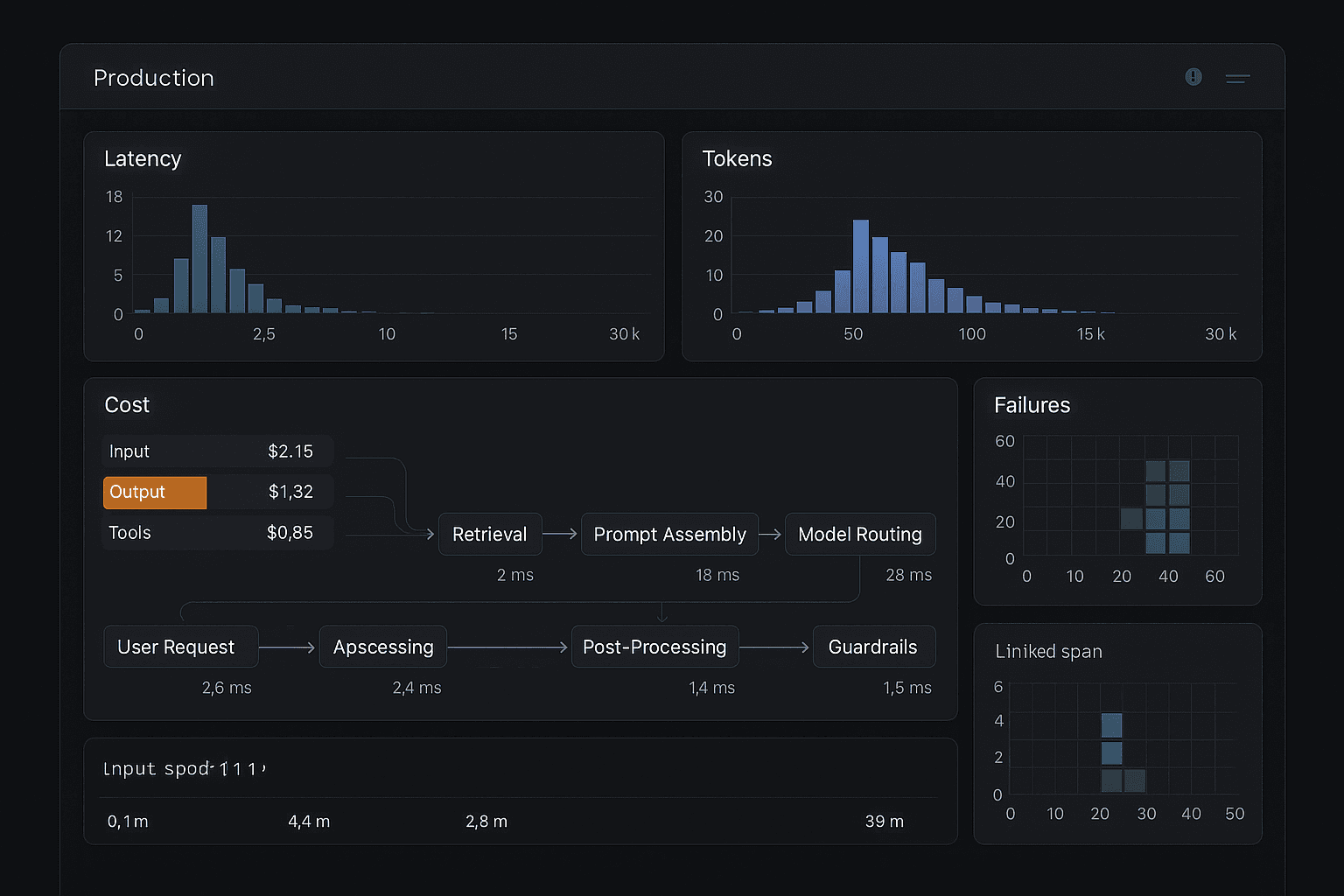
This article is a practical guide to instrumenting production GenAI systems with end-to-end traces across retrieval, prompt assembly, tool calls, model routing, and post-processing. I’ll focus on the patterns that matter in practice: event schemas, span design, user feedback capture, offline/online eval linkage, redaction strategy, and the dashboards that actually help teams improve real systems.
The failure pattern: quality regressions without obvious outages
The most expensive LLM failures are often silent.
Not “the API returned 500.” Not “the vector database is down.” Those are easy. The hard failures are:
- retrieval returns plausible but subtly irrelevant context
- a reranker degrades after an embedding model change
- prompt assembly drops a critical instruction because of token budgeting logic
- tool selection falls off after switching to a smaller model
- a guardrail overfires and removes good answers
- structured output parsing succeeds, but the content is semantically wrong
- the model answers directly instead of using a required tool
- citations point to chunks that were retrieved but never actually used in the answer
- a latency optimization changes timeout behavior and silently reduces context coverage
These are product failures, not just system failures.
And they don’t show up well in conventional logs because the “bug” usually lives in the interaction between multiple stages:
- User query interpretation
- Retrieval and reranking
- Prompt construction
- Model routing and parameter selection
- Tool use or agent planning
- Response generation
- Validation, moderation, post-processing
- UI rendering and user follow-up behavior
If you only monitor each component independently, you miss the causality chain.
The debugging unit for LLM systems is not the API call. It is the end-to-end execution trace.
Why the naive approach fails
Most teams begin with some combination of:
- application logs with request IDs
- infrastructure metrics for latency and errors
- model provider usage data
- a few saved prompts/responses for manual review
- maybe a spreadsheet of “bad examples”
This is enough for prototypes. It is not enough for production.
Here’s where the naive approach breaks.
1. Logs are too unstructured to answer real quality questions
Suppose quality drops after a deploy. You want to ask:
- Did retrieval depth change?
- Did the prompt exceed a token threshold and truncate instructions?
- Did model routing shift from GPT-4-class to a smaller model for this segment?
- Did tool call attempts increase but tool success decrease?
- Did bad answers correlate with low retrieval scores or missing account context?
If your telemetry is raw text logs, every investigation becomes a custom archaeology project.
2. Request IDs without spans hide where time and failure actually happened
A single request might involve:
- query rewriting
- embedding generation
- vector search
- metadata filtering
- reranking
- prompt assembly
- a first model pass
- one or more tool calls
- a second model pass
- output validation
- response formatting
A single request ID does not tell you which stage consumed 4 seconds, where retries occurred, or which branch was taken.
3. Sampling only error cases misses the most important failures
Many poor answers are “successful” from a systems perspective. HTTP 200. Valid JSON. No exceptions.
If you only inspect explicit failures, you won’t catch semantic regressions.
4. Provider dashboards stop at the model boundary
Model vendors can tell you token counts, latency, maybe tool invocations if you use their native stack. But they usually cannot tell you:
- which retriever version provided context
- which reranker scores were used
- which business policy filtered documents
- what post-processing changed the answer
- what the user clicked next
That context exists in your application, not the provider’s.
5. Quality, cost, and latency remain disconnected
Teams often track these separately:
- PM watches CSAT or thumbs-up rate
- infra watches latency
- finance watches token spend
- ML watches eval scores
But decisions are made at the pipeline level. Increase top-k from 8 to 20, and cost rises, prompt length grows, latency increases, and answer quality may improve or degrade depending on reranking quality. If your observability cannot tie those together, optimization becomes opinion-driven.
The better approach: treat your LLM app like a distributed system with semantic telemetry
The right mental model is distributed tracing plus domain-specific semantics.
You want the same discipline used for microservices observability, but extended for GenAI workflows where the key questions are not only “what failed?” but also “why was the answer bad?” and “which pipeline decision caused the tradeoff?”
At minimum, your telemetry should support these workflows:
- Per-request debugging: reconstruct one bad session end to end.
- Regression detection: compare current behavior to last week or last release.
- Segment analysis: find patterns by customer tier, language, task type, or route.
- Cost and latency attribution: tie spend and performance to retrieval, model, tools, and prompt design choices.
- Evaluation linkage: connect online production traces to offline eval datasets and annotations.
- Operational alerting: detect silent failures before support tickets pile up.
To get there, instrument the system around four principles.
Principle 1: every user interaction gets a trace
A trace begins at the user-visible request boundary and includes every meaningful internal step, whether synchronous or asynchronous.
This sounds obvious, but many teams start traces only at model invocation. That is too late. In RAG and agentic systems, root cause often originates before the model call.
Principle 2: spans capture decisions, not just durations
A span should not only say “vector search took 120 ms.” It should also say:
- which index was queried
- embedding model version
- query rewrite variant
- top-k requested and returned
- score distribution
- metadata filters applied
- result count after filtering
Likewise, a model span should include:
- selected model and routing reason
- prompt template version
- token counts by section if available
- temperature and other parameters
- structured output schema version
- finish reason
- tool call count
- cache hit or miss
The point is to preserve the semantic decision surface.
Principle 3: store enough payload to debug, but not enough to create a privacy incident
Observability without a redaction strategy eventually becomes either useless or dangerous. More on that later.
Principle 4: observability and evaluation should share IDs and schemas
If the traces in production and the rows in your eval dataset cannot be joined, you will keep relearning the same lessons manually.
A concrete reference architecture
A pragmatic architecture for production observability looks like this:
-
Instrumentation layer in application code
- emits trace/span events at each pipeline stage
- attaches shared metadata: tenant, environment, app version, experiment flags
-
Telemetry transport
- OpenTelemetry-compatible collector or event pipeline
- buffering and backpressure handling
- selective payload sampling policies
-
Trace store
- indexed by trace_id, request_id, user/session identifiers, model route, tool, tenant, release
- optimized for request drill-down and aggregate analysis
-
Metrics/warehouse layer
- derived facts for dashboards: cost per route, latency by stage, retrieval hit rates, failure rates
- often in ClickHouse, BigQuery, Snowflake, Datadog, Honeycomb, Grafana, or similar
-
Artifact store
- for larger payloads such as full prompts, retrieved chunks, screenshots, transcripts, or eval annotations
- referenced by IDs from spans rather than duplicated everywhere
-
Feedback and annotation pipeline
- thumbs up/down, edits, task completion, human review labels
- attached to trace_id or conversation_id
-
Eval linkage layer
- maps production traces into offline eval candidates
- stores model versions, prompt versions, retriever versions, and outcomes
-
Alerting and dashboards
- stage-level SLOs and quality proxies
- regressions by route/version/segment
You do not need a perfect platform on day one. But you do need a coherent schema and a commitment to traceability.
Span design: what to instrument end to end
Below is a span model I’ve seen work well in real systems.
Root span: user request
This is the anchor for everything else.
Suggested fields:
trace_idspan_idparent_span_id= nullrequest_idconversation_idsession_iduser_id_hashtenant_idenvironmentapp_versionrelease_shaexperiment_flagsentrypoint(chat, API, workflow trigger, background job)task_type(qa, summarization, extraction, coding, support)user_query_redactedlocalestart_time,end_time,duration_msfinal_status(success, degraded, blocked, failed)user_feedback_statusif later attached
Use this span for high-level segmentation and correlation.
Span: input classification or routing prepass
If you classify intent, detect language, estimate complexity, or choose a route before retrieval/model selection, instrument that explicitly.
Fields:
- classifier model/version
- labels and confidences
- route selected
- route rationale or policy ID
- fallback behavior
- latency
This becomes critical when teams later realize that “cheap route” traffic has much worse quality on a specific task type.
Span: query rewriting / decomposition
For RAG systems, user input is often transformed.
Fields:
- rewrite strategy version
- original query hash
- rewritten query redacted
- decomposition steps if multi-query
- number of subqueries
- model used
- token and cost metadata
- confidence / heuristic score
A surprising number of retrieval regressions begin here.
Span: embedding generation
Fields:
- embedding model/version
- input length
- truncation indicator
- vector dimension
- latency
- cache hit/miss
- cost
If you rotate embedding models or change chunking, this is essential historical context.
Span: retrieval
This is one of the highest-value spans in the whole system.
Fields:
- retriever type (vector, keyword, hybrid, graph, SQL)
- index or corpus version
- top_k_requested
- top_k_returned
- metadata filters
- applied ACL/security filters
- number filtered out by permissions
- score distribution summary
- doc IDs/chunk IDs returned
- source types
- retrieval latency by sub-stage if possible
- cache hit/miss
For hybrid retrieval, either create child spans per retrieval strategy or include structured sub-results.
Span: reranking
Fields:
- reranker model/version
- candidate_count
- top_n_selected
- score deltas
- changed_rank_positions count
- selected chunk IDs
- latency
- cost
This often explains “we retrieved the right thing but didn’t pass it to the model.”
Span: context assembly
This is where many silent failures occur.
Fields:
- prompt template version
- system prompt version
- policy block version
- tool instruction version
- context selection policy
- token budget target
- actual tokens by section:
- system instructions
- conversation history
- retrieved context
- tool schemas
- user input
- chunks included/excluded
- exclusion reasons (budget, dedupe, relevance threshold, policy)
- truncation events
- citation mapping IDs
If a new prompt template accidentally pushes retrieved context beyond the token budget, this span will reveal it immediately.
Span: model routing
If you use multiple providers or models, route selection deserves its own span.
Fields:
- route policy version
- candidate models considered
- selected provider/model
- reason selected (cost threshold, complexity estimate, tenant tier, experiment)
- expected price estimate
- max tokens and parameter settings
- fallback chain
Without this span, teams blame the “application” for failures that are actually route policy mistakes.
Span: model inference
This is the other highest-value span.
Fields:
- provider
- model name/version snapshot if available
- API mode (chat, responses, batch)
- prompt artifact ID
- response artifact ID
- input tokens
- output tokens
- cached tokens if supported
- reasoning tokens if exposed
- latency breakdown if available:
- queue time
- first token latency
- total generation time
- finish reason
- tool calls proposed
- structured output parse result
- moderation/blocked flags from provider
- retry count
- cost estimate
If the model makes multiple passes, each gets its own span.
Span: tool planning and tool execution
Do not collapse all tool activity into one blob.
For tool planning:
- planner model/version or policy version
- tools available
- tool selected
- rationale category if represented
- confidence
For each tool execution:
- tool name
- tool version
- input schema version
- redacted arguments
- timeout setting
- retries
- auth context type
- latency
- result size
- success/failure
- error category
- downstream dependency name
A separate child span for each tool call lets you answer questions like:
- Did the model stop calling the billing tool after a route change?
- Are invalid tool arguments increasing for one prompt version?
- Did tool timeout spikes cause the model to answer from prior context instead?
Span: post-processing and validation
Typical examples:
- citation verification
- JSON schema validation
- regex / parser cleanup
- policy classifier
- moderation classifier
- answer ranking
- UI formatting
Fields:
- validator name/version
- input/output artifact IDs
- pass/fail
- confidence scores
- filtered content categories
- repair attempts
- fallback behavior triggered
- latency
Many teams forget to instrument this stage and later discover their own post-processing caused the regression.
Span: delivery and UX outcome
If possible, track what the user actually experienced.
Fields:
- stream started timestamp
- first token shown timestamp
- stream interrupted or completed
- client render errors
- copy clicked
- citation clicked
- follow-up asked
- answer edited
- task completed
This closes the loop between backend execution and user-perceived success.
Event schema: what should be standardized
The specific implementation matters less than consistency. I recommend a canonical event schema with a small number of required fields and stage-specific extension fields.
Required envelope fields
Every event/span should include:
event_timetrace_idspan_idparent_span_idspan_typestatusservice_nameenvironmentapp_versiontenant_idconversation_idor equivalent if relevantrequest_idoperation_nameduration_msattributesobjectartifact_refsarrayprivacy_tags
Recommended common attributes
task_typeroute_namemodel_namemodel_providerprompt_versionretriever_versiontool_nameexperiment_idsrelease_shacache_statuserror_typeerror_message_redactedcost_usd_estimateinput_tokensoutput_tokens
Use enums where you can. You want queries and dashboards to be stable over time.
Artifacts vs inline payloads
Do not stuff every prompt, chunk, tool payload, and model response inline into your primary telemetry stream. That gets expensive fast and creates privacy headaches.
A better pattern:
- keep small summaries and hashes inline
- store larger content in an artifact store
- reference with
artifact_idplus redaction metadata
Examples of artifacts:
- full prompt
- full model response
- retrieved chunk texts
- tool request/response payloads
- screenshots or conversation transcripts
- human annotation bundles
This gives you drill-down power without crushing your observability bill.
Redaction strategy: useful telemetry without a compliance nightmare
If you only remember one operational point from this article, make it this: instrumenting GenAI systems without a deliberate redaction strategy is asking for trouble.
LLM applications often process exactly the data your organization least wants sprayed into logs: customer support transcripts, contracts, medical notes, source code, financial records, internal docs.
The wrong approach is all or nothing:
- logging everything forever is reckless
- logging nothing makes debugging impossible
The practical approach is tiered observability.
Tier 1: safe metadata, retained broadly
Examples:
- timestamps
- latency
- token counts
- model names
- prompt/template versions
- chunk IDs
- score summaries
- error categories
- route decisions
- tool names
- success/failure flags
This should power most dashboards.
Tier 2: redacted content, retained selectively
Examples:
- user input with PII masking
- tool arguments with identifiers hashed
- snippet previews of retrieved chunks
- truncated model outputs
Useful for most routine investigations.
Tier 3: sensitive artifacts, access-controlled and short-lived
Examples:
- full prompts
- full retrieved contexts
- full tool request/response bodies
- full generated outputs
Store only when needed, gate access tightly, and set explicit retention policies.
Redaction techniques that work in practice
- deterministic hashing for joinable identifiers
- PII detection plus masking before write
- field-level allowlists for tool payloads
- tenant-configurable retention classes
- encryption at rest with stricter key policies for artifacts
- access auditing for sensitive trace inspection
- prompt section separation so safe metadata survives even if content is withheld
One useful design choice: log content provenance and structure even when you cannot log raw text. For example, store that chunk IDs 17, 23, and 44 were included; chunk 18 was excluded due to budget; tool billing.lookup_invoice was called with an account hash and date range. That often gets you surprisingly far in debugging.
Linking production traces to evaluation
Observability without evaluation tells you what happened. Evaluation without observability tells you whether a benchmark passed. You need both connected.
The production trace should be the source object from which you derive eval cases.
What to link
For any trace you may want to evaluate later, preserve:
- trace ID and conversation ID
- model route and versions
- prompt/template versions
- retrieval/reranking versions
- tool set and tool outcomes
- final answer artifact
- user feedback
- downstream business outcome if available
Offline evals sourced from production
A strong loop looks like this:
- Sample traces from production by route, task, tenant, and failure signals.
- Convert them into eval examples with frozen artifacts.
- Add human labels:
- answer correctness
- groundedness
- citation quality
- tool-use correctness
- policy compliance
- completeness
- Re-run candidate changes against the exact same traces or reconstructed inputs.
- Compare not just final quality but stage-level differences.
This is far more useful than relying only on synthetic eval sets.
Online metrics as quality proxies
You will not have human labels for every request, so capture proxy signals:
- thumbs up/down
- user rephrase rate n- regenerate rate
- “open cited document” rate
- answer copy rate
- escalation to human
- task completion rate
- abandonment after answer
- contradiction or correction by user
None of these is perfect. Combined, segmented, and linked to traces, they become powerful.
Why linkage matters
Suppose offline eval says prompt version B is better than A. Production says quality dropped after B shipped. Without trace linkage, you argue. With trace linkage, you can see:
- B improved direct QA but worsened tool adherence
- only long-context requests regressed
- the reranker version also changed in the same release
- low-tier tenants were routed to a smaller model that underperformed on B
That’s the level of diagnosis production teams need.
The dashboards that actually help
Many observability dashboards look impressive and answer very little. Here are the ones I’d build first.
1. Request drill-down trace viewer
This is non-negotiable.
For any request, an engineer should be able to see:
- user query or redacted surrogate
- full span timeline
- retrieval candidates and selected chunks
- prompt composition summary
- model route and token usage
- tool calls with inputs/outputs redacted appropriately
- validation/post-processing actions
- final answer
- user feedback and follow-up behavior
If your team cannot debug one bad answer in under 10 minutes, observability is not mature enough.
2. Stage latency waterfall dashboard
Break latency by stage and route:
- retrieval
- reranking
- prompt assembly
- first model pass
- tool execution
- second model pass
- post-processing
- client delivery
Useful cuts:
- by model
- by tenant
- by task type
- by release
- by cache hit status
This helps avoid the common mistake of blaming the model for latency actually caused by tools or retrieval.
3. Cost attribution dashboard
Show cost per request and total spend sliced by:
- model/provider
- route
- prompt version
- tenant
- tool path
- task type
- token budget bucket
Include derived metrics:
- average cost per successful task
- cost per thumbs-up
- cost per escalated case avoided
That last step matters. Raw token spend is not a business metric.
4. Retrieval quality dashboard
Track:
- retrieval hit rate on judged datasets
- average score distributions
- percentage of zero/low-result queries
- ACL-filtered result rates
- reranker displacement statistics
- context utilization proxies
- citation coverage and citation correctness
If retrieval is core to your system, this deserves first-class treatment rather than being hidden behind generic search metrics.
5. Tool reliability and tool-use correctness dashboard
Track both operational and semantic metrics:
Operational:
- call rate by tool
- latency
- timeout rate
- retry rate
- invalid argument rate
- downstream dependency failures
Semantic:
- expected-tool-called rate on labeled examples
- unnecessary-tool-call rate
- tool success followed by answer failure
- answer-without-required-tool rate
This is where many “agent” systems actually fail.
6. Quality regression dashboard by version/route
Track online proxy metrics and eval metrics by:
- release SHA
- prompt version
- model route
- retriever version
- tool schema version
- guardrail version
Look for change-point detection, not just threshold alerting. LLM regressions often appear as subtle distribution shifts.
7. Failure taxonomy dashboard
Create a practical failure taxonomy and tag traces accordingly, manually or semi-automatically:
- retrieval miss
- stale knowledge
- wrong tool choice
- tool execution failure
- hallucination despite available context
- citation mismatch
- formatting/parse issue
- guardrail false positive
- guardrail false negative
- timeout degradation
- route/model mismatch
This turns anecdotal complaints into measurable engineering work.
Cost and latency tradeoffs: observability itself has a bill
Instrumentation is not free. The trick is to spend where visibility materially improves decision-making.
Major observability cost drivers
- volume of traces retained
- payload size, especially prompts and retrieved text
- cardinality of dimensions in dashboards
- artifact storage retention length
- annotation/human review costs
- real-time versus batch processing requirements
Practical cost controls
- always retain lightweight span metadata
- sample full payload artifacts more aggressively, but bias sampling toward risky or novel cases
- upsample traces with failures, thumbs-down, high cost, long latency, route changes, or low confidence
- retain recent detailed traces and older summarized aggregates
- deduplicate static artifacts like prompt templates by version ID
- compress large text artifacts
- store retrieved chunk IDs by default and fetch text lazily from source systems or artifact storage
Latency impact of instrumentation
Bad instrumentation can hurt the very system you are observing.
Best practices:
- emit telemetry asynchronously
- batch writes
- avoid synchronous artifact uploads on hot paths where possible
- protect trace emission with timeouts and circuit breakers
- use local buffering or collectors
- degrade observability before degrading user-facing response paths
If your app must choose between answering the user and uploading a beautiful trace, answer the user.
Implementation details: how I’d actually roll this out
Here is a staged rollout plan that works for most teams.
Phase 1: establish canonical IDs and root traces
Before anything fancy:
- generate
trace_idat request ingress - propagate it through every service and async task
- standardize
conversation_id,request_id,tenant_id,app_version,release_sha - create root spans and model spans
This alone eliminates a huge amount of debugging pain.
Phase 2: instrument retrieval, prompt assembly, tools, and post-processing
Add structured spans for the major quality-determining stages. Avoid “misc step” spans. Name operations consistently.
Good examples:
query_rewriteembed_queryvector_searchrerank_chunksassemble_promptroute_modelllm_generatetool_call.billing_lookupvalidate_citationsmoderate_output
Phase 3: define a trace review workflow
Telemetry is only useful if someone uses it.
Create an operating rhythm:
- support/product flags bad interactions
- engineer opens trace viewer
- failure tagged using taxonomy
- if representative, trace promoted to eval set
- regression issue linked to release/version/route
This is how observability becomes an improvement loop rather than a passive archive.
Phase 4: build joined dashboards for quality, cost, latency
Do not ship three separate portals no one can correlate mentally. At minimum, make it easy to pivot from a quality drop to route/version/latency/cost slices.
Phase 5: add automated regression detection
Useful alerts include:
- sudden increase in no-tool answers for intents that usually require tools
- drop in retrieval result counts after index rollout
- increase in prompt truncation events after template change
- route shift toward smaller models with worse proxy quality
- rise in citation mismatch or validation repair rate
- p95 latency increase localized to a specific tool
- cost per successful task increasing materially
These alerts are much more actionable than “overall token usage is up.”
Model and tooling choices: build, buy, or hybrid
Most teams will combine existing observability tools with custom GenAI semantics.
Option 1: use general observability stack plus custom schemas
Examples: OpenTelemetry + Datadog/Grafana/Honeycomb/Elastic + warehouse.
Pros:
- integrates with existing infra workflows
- strong tracing and alerting foundations
- avoids a separate platform silo
Cons:
- you must design GenAI-specific spans and dashboards yourself
- prompt/retrieval/tool semantics may feel bolted on
This is a good choice for mature platform teams.
Option 2: specialized LLM observability tooling
Pros:
- faster setup for prompt/model/tool traces
- built-in playgrounds and annotation workflows
- often stronger support for eval loops
Cons:
- may not integrate deeply with the rest of your stack
- can be expensive at scale
- some tools are better for demos than for messy enterprise pipelines
Good for teams that need velocity quickly, as long as they validate exportability and retention control.
Option 3: hybrid
In practice, I recommend hybrid for many teams:
- OpenTelemetry-compatible trace backbone
- warehouse for long-term analysis
- artifact store for prompts/contexts
- specialized UI or vendor product for LLM trace inspection and annotation if it speeds up iteration
The key is avoiding lock-in at the schema layer. Own your IDs, event definitions, and artifact references.
Common mistakes
A few anti-patterns show up repeatedly.
Logging only prompts and outputs
This helps debugging demos, but not production pipelines. The missing context is usually retrieval, routing, tools, and post-processing.
No versioning on prompts, retrievers, tools, or policies
If a trace cannot tell you which exact versions were active, comparisons become folklore.
Treating user feedback as separate from traces
Feedback must join to the execution record, or it becomes anecdotal.
Keeping no record of excluded context
Teams log what was included in the prompt but not what was dropped. Yet many failures are caused by truncation or selection policy.
Ignoring client-side UX telemetry
Sometimes the backend answer is fine but users see stream interruptions, delayed rendering, or broken citation links.
Over-collecting raw data without access controls
This creates compliance risk and eventually forces a painful rollback of observability depth.
Building dashboards before defining a failure taxonomy
If you don’t know which failures matter, you’ll build generic charts that nobody uses.
A minimal viable schema for teams starting this quarter
If I had to keep it lean, I would start with these required entities:
-
request_trace- IDs, tenant, task, app/release versions, final status
-
retrieval_span- query variant, index version, top-k, result IDs, scores summary, latency
-
prompt_assembly_span- prompt/template versions, token budget, tokens by section, truncation flag, included/excluded chunk IDs
-
model_span- route, provider, model, params, token counts, latency, finish reason, cost
-
tool_span- tool name, arguments redacted, success/failure, latency, retries
-
postprocess_span- validator/moderator names, outcomes, repairs, latency
-
feedback_event- thumbs, edit, regenerate, escalation, task completion
-
artifact_reference- prompt/output/context storage IDs with retention/privacy class
With just that, a team can answer a surprisingly large fraction of production questions.
The real takeaway
Observability for production LLM systems is not mainly about watching model latency. It is about making semantic execution visible enough that you can explain quality.
When a user says, “It worked last week. Now it’s weird,” your team needs to do more than inspect a prompt and shrug. You need to reconstruct the full chain:
- what query interpretation happened
- what was retrieved and reranked
- what context made it into the prompt and what got cut
- why a particular model was selected
- what tools were called or skipped
- what validators or guardrails modified the result
- how long each stage took
- what it cost
- how the user reacted
That is the level at which production GenAI systems become operable.
The best teams I see treat traces as the shared substrate for engineering, product, ML, support, and evaluation. A bad answer is not just a screenshot in Slack. It is a trace, a failure category, a reproducible eval case, and eventually a dashboard movement tied to a specific fix.
If you build that loop well, observability stops being a defensive investment. It becomes one of the fastest ways to improve quality, control cost, and ship changes with confidence.
And in production LLM systems, confidence is worth a lot.