Feature Flags for GenAI Systems: Decoupling Prompt, Retrieval, Model, and Tool Changes for Safe Production Control
Most teams discover the need for feature-flag discipline in GenAI the hard way: not when the first prototype works, but when the fifth “small” change breaks production in a way no one can cleanly undo.
A common failure looks like this. The team has a customer-support copilot in production. Product wants a new system prompt to make answers more concise. Search wants to swap in hybrid retrieval. Another engineer wants to route premium tenants to a stronger model. Security wants to tighten tool permissions after a bad incident involving over-broad action execution. None of these changes sound large enough to justify a full release process, so they get bundled into an application deploy or a shared config push.
Traffic shifts. Answer quality drops, but only for one enterprise tenant with a large private corpus. Latency rises across all regions. Tool-call rate spikes. The on-call engineer sees the regression but cannot answer the first operational question that matters: what changed for this affected slice of traffic? Was it the prompt? Retrieval? Model? Tool policy? A reranker threshold? They roll back the app deployment, but the retrieval config remains cached. They revert the prompt, but the model route is still pinned for premium users. They disable tool access globally to be safe, and now a workflow that depended on structured actions stops working for every customer.
This is the GenAI version of a very old lesson: if multiple independently risky changes are coupled at release time, your blast radius is defined by your weakest rollback mechanism.
Feature flags are the practical answer, but applying traditional feature-flag thinking directly to LLM systems is not enough. In a CRUD app, a flag often gates a UI component or backend code path. In a GenAI system, behavior emerges from the interaction between prompt templates, retrieval pipelines, rerankers, context builders, model routes, tool policies, and guardrails. A “small” change in one layer can alter token usage, latency, refusal rates, hallucination rates, and action-selection behavior in another. The flagging strategy has to reflect that reality.
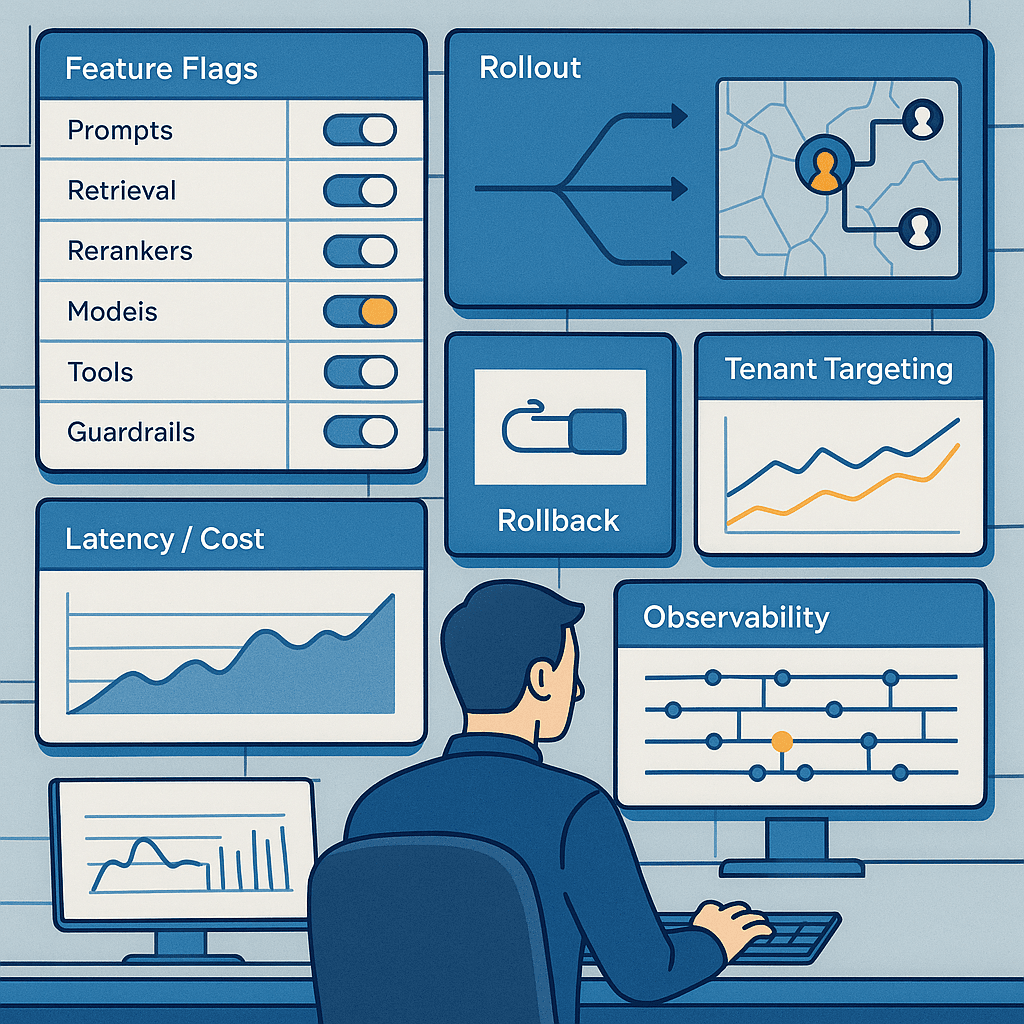
The pattern to recognize is this: GenAI systems are not one feature. They are a chain of probabilistic subsystems, each of which should be independently controllable in production. Safe teams decouple changes at those subsystem boundaries and make each boundary observable, targetable, and reversible without redeploying the entire stack.
The naive approach fails because it treats the LLM application as a single artifact. One code release bundles together:
- prompt text
- retrieval logic
- chunking parameters
- reranking strategy
- context-window allocation
- model selection
- tool availability
- guardrail thresholds
- structured-output constraints
- fallback behavior
This is operationally fragile for three reasons.
First, the failure modes differ by layer. A prompt change may degrade answer style but improve latency. A retrieval change may improve relevance on average while breaking one tenant because of metadata sparsity. A model switch may increase structured-output compliance while raising cost 3x. Tool access changes can create hard safety incidents, not just quality regressions.
Second, interactions are nonlinear. A prompt that performs well with model A may fail on model B because the newer model is more literal about instructions. A more aggressive retriever can surface long documents that push the context builder over token budget, causing important instructions or citations to be truncated. A reranker may improve precision but reduce diversity, making the model overconfident from narrower evidence.
Third, rollback is not symmetric. It is easy to roll back code. It is harder to roll back a distributed configuration that has already influenced cached retrieval indexes, conversation-state assumptions, or downstream actions executed by tools. If a tool policy permitted a write action for ten minutes, “rolling back” does not undo those writes.
A better approach is to treat GenAI delivery as controlled composition. Each major subsystem gets its own flag surface, dependency rules, evaluation contract, and observability dimensions. Your release unit becomes not “the copilot” but “prompt template v17 for tenant group A using retrieval strategy H2 with reranker R3, model route M-fast, tool policy T-readonly, and guardrail profile G-strict.”
That sounds like complexity, and it is. But it is complexity you already have. Feature flags do not create it; they make it legible and operable.
The control planes you actually need
In most production GenAI stacks, feature flags should exist at least across these planes:
-
Prompt flags
Control system prompts, developer prompts, response format instructions, citation requirements, and task-specific templates. -
Retrieval flags
Control whether retrieval is on, which indexes are queried, lexical vs dense vs hybrid search, query rewriting, metadata filters, chunk sizes, top-k, and context packing strategy. -
Reranker flags
Control whether reranking is enabled, which reranker model is used, score thresholds, diversity constraints, and per-tenant policies. -
Model-route flags
Control primary and fallback models, reasoning-capable vs fast models, provider selection, temperature caps, max token budgets, and structured-output enforcement modes. -
Tool-access flags
Control which tools are visible to the model, which actions are executable, read-only vs write scopes, confirmation requirements, and tenant/user entitlement checks. -
Guardrail flags
Control prompt-injection defenses, PII redaction, jailbreak handling, refusal strategies, policy classifiers, grounding requirements, and human-escalation triggers. -
Fallback and degradation flags
Control “safe mode” behavior when dependencies are unhealthy: retrieval-only answers, no-tool mode, short-response mode, model downgrade, or human handoff.
The key design principle is granularity without chaos. If you create a flag for every threshold and string, you will drown in combinatorics. If you create one broad “new_ai_stack” flag, you lose the ability to isolate regressions. The right level is usually the behavior bundle at a stable subsystem boundary.
For example, instead of flags like top_k=8, top_k=12, use_bm25=true, and reranker_threshold=0.21, define a retrieval strategy object behind one flag value:
retrieval_strategy = baseline_dense_v1retrieval_strategy = hybrid_metadata_v2retrieval_strategy = support_corpus_high_precision_v3
Each strategy is versioned, documented, and internally specifies the detailed knobs. This gives you fewer moving parts in rollout while preserving reproducibility.
Flag taxonomy: boolean is rarely enough
Most teams start with booleans: on or off. For GenAI systems, you need a richer flag taxonomy.
1. Variant flags
Use these when there are multiple behavior options, not just enabled/disabled.
Examples:
- prompt template:
support_prompt_v12,support_prompt_v13 - model route:
gpt-fast,gpt-strong,claude-balanced,local-fallback - retrieval strategy:
dense_v1,hybrid_v2,hybrid_rerank_v1
2. Policy flags
Use these when the output is a policy object, especially for tools and guardrails.
Example tool policy:
- allowed tools: search_ticket, read_account, create_draft_reply
- denied tools: refund_customer, close_account
- confirmation required for: create_ticket, send_email
- max tool calls: 4
- parallel tool calls: false
3. Threshold/profile flags
Use named profiles instead of raw numbers for operational clarity.
Examples:
- guardrail profile:
standard,strict,regulated - latency profile:
fast,balanced,high_quality - context packing profile:
small_window,citation_heavy,summarize_then_answer
4. Kill switches
Every risky subsystem should have a hard disable path.
Examples:
- disable all external tools
- disable write-capable tools only
- disable query rewriting
- disable premium-model route
- disable long-context mode
Kill switches matter because in incidents you need one-click simplification, not a archaeology project through nested configs.
Architecture: separate the application from the behavior graph
The production architecture that works best is one where application code asks a control plane for a resolved behavior graph per request.
At request time, the system resolves:
- actor context: user, tenant, plan, geography, compliance regime
- request context: product surface, task type, language, device, risk level
- experiment context: active experiments and bucketing
- operational context: provider health, regional capacity, incident mode
From that, the flag service returns a configuration bundle such as:
- prompt profile =
support_concise_v13 - retrieval strategy =
hybrid_support_v2 - reranker profile =
cross_encoder_precise_v1 - model route =
fast_default_with_strong_fallback - tool policy =
support_readonly_enterprise - guardrail profile =
strict_citation_required - safe mode =
off
The application then executes the pipeline according to that resolved config and emits the config identifiers into traces, logs, metrics, and evaluation records.
That last part is the difference between “we use flags” and “we can operate the system.” If you do not stamp each request with the exact resolved prompt/retrieval/model/tool/guardrail versions, your debugging and evaluation loop will collapse the first time two experiments overlap.
A practical architecture looks like this:
-
Flag control plane
Stores flag definitions, targeting rules, dependencies, approvals, and rollout state. -
Config registry
Stores immutable versioned artifacts referenced by flags: prompt templates, retrieval strategy definitions, tool-policy bundles, model-route objects. -
Request resolver
Combines targeting rules and dependencies into a single resolved config for the request. -
GenAI orchestrator
Executes retrieval, reranking, prompting, model invocation, tool use, and guardrails based on resolved config. -
Observability pipeline
Logs per-stage metrics tagged with resolved config versions. -
Evaluation pipeline
Runs offline replay, online experiments, and incident analyses keyed by config combinations.
The config registry is underrated. Do not store giant prompt blobs directly in ad hoc flag values if you can avoid it. Store versioned artifacts with metadata:
- owner
- created date
- intended task
- model compatibility notes
- token footprint
- evaluation summary
- deprecation status
Then let flags point to those artifacts.
Dependency management: the part that saves you from nonsense states
Independent control does not mean unconstrained combinations. Some combinations are invalid, unsafe, or simply unevaluated.
Examples:
- Prompt
structured_json_v4requires a model route with high structured-output reliability. - Tool policy
finance_write_actionsrequires guardrail profileregulatedand human confirmation. - Retrieval strategy
128k_context_packrequires a model route with sufficient context window. - Prompt
citation_required_v2should not be used when retrieval is disabled. - Query rewriting
aggressive_multiquery_v3may be incompatible with a tenant’s strict data-residency setup if it relies on an external service.
You need dependency rules in the resolver, not just in a wiki.
A simple rule system can enforce:
- requires: feature A requires feature B/profile C
- excludes: feature A cannot run with feature D
- upgrades: feature A automatically lifts guardrails to profile E
- fallbacks: if feature A is requested but invalid, use profile F
- approval gates: feature A needs security or compliance approval before tenant targeting
This matters because GenAI systems are prone to “configuration drift by enthusiasm.” Many incidents are not caused by one bad component but by an unreviewed combination no one tested together.
Tenant targeting is a first-class production capability
In enterprise GenAI, tenant targeting is not just for gradual rollout. It is how you handle:
- premium entitlements
- regulated vs unregulated workflows
- customer-specific retrieval corpora
- language coverage differences
- customer-requested exclusions from experimentation
- bespoke SLAs and cost envelopes
A healthy targeting model includes:
- tenant ID
- tenant segment
- plan tier
- geography/data residency zone
- compliance mode
- user role
- workflow/task type
- traffic percentage
- allowlist/denylist overrides
For example, you may want:
- model route
strong_reasoning_v2only for premium tenants on contract plans - tool policy
readonly_onlyfor new tenants during onboarding - retrieval strategy
hybrid_v2for tenants with sufficient metadata quality - strict guardrail profile for healthcare and finance tenants
- no experimentation for strategic accounts unless explicitly approved
The operational lesson is to avoid burying tenant logic inside prompt builders, tool wrappers, or retrieval code. Centralize it in the flag resolver so you have one answer to “why did this request behave this way?”
Why naive experimentation fails in LLM systems
Classic A/B testing assumptions break down quickly for GenAI.
The naive version is: split traffic 50/50 between prompt A and prompt B, compare thumbs-up rate, and ship the winner. This fails because:
- thumbs-up is sparse and delayed
- traffic mix is nonstationary
- some changes mainly affect rare but severe failures
- user outcomes can be path-dependent across multi-turn sessions
- interventions interact, so prompt B may only outperform prompt A on model route M2
- latency and cost changes can outweigh small quality gains
- one tenant can dominate impact if they have high volume or unusual corpus structure
Better experimentation uses a layered evaluation strategy.
Layer 1: Offline replay
Before online rollout, replay representative historical requests through candidate configs.
Measure:
- answer correctness or reviewer preference
- citation faithfulness
- retrieval relevance and coverage
- tool-selection accuracy
- refusal appropriateness
- structured-output validity
- token usage
- latency by stage
- cost per request
Offline replay is not enough, but it catches obvious losers cheaply.
Layer 2: Slice-based evaluation
Do not only compute global averages. Break down by:
- tenant
- task type
- language
- query length
- retrieval hit quality
- tool-needed vs no-tool-needed cases
- safety-sensitive categories
Many regressions are slice-specific. Hybrid retrieval may help FAQ-style questions and hurt sparse-account-history queries. A new prompt may improve direct answers but reduce appropriate refusals on policy-edge cases.
Layer 3: Shadow mode
Run the new path in parallel without affecting user-visible behavior.
Use it for:
- comparing retrieval outputs
- measuring would-have-called tool behavior
- validating structured outputs
- estimating latency and cost
Shadow mode is especially useful for tool policies and model routes, where user-visible experiments can be expensive or risky.
Layer 4: Progressive online rollout
Start with internal traffic, then a small tenant allowlist, then low-risk external traffic, then broader segments. Each step should have automated stop conditions.
Layer 5: Incident-aware experimentation
If provider instability, index freshness lag, or unusual abuse spikes are active, pause experiments. Otherwise you will attribute infrastructure noise to config changes.
Observability: every stage, every variant, every request
If feature flags are your control surface, observability is your proof that control worked.
At minimum, emit for each request:
- request ID
- session/conversation ID
- tenant/user/task dimensions
- resolved config identifiers for prompt/retrieval/reranker/model/tools/guardrails
- retrieval metrics: hits, scores, selected chunks, token count
- reranker metrics: pre/post rank changes, thresholding
- model metrics: provider, model, latency, input/output tokens, finish reason
- tool metrics: tools shown, tools called, success/failure, arguments redacted
- guardrail metrics: classifications, interventions, refusals, redactions
- final outcome metrics: user feedback, escalation, retry, fallback triggered
Use distributed traces so you can answer questions like:
- Did latency rise because the model got slower or because retrieval packed more tokens?
- Did hallucinations increase because retrieval returned weaker evidence, or because the prompt became less grounding-focused?
- Did tool misuse increase because more tools were exposed, or because the prompt encouraged action-taking?
A practical rule: any configurable subsystem without variant-tagged metrics is not truly flaggable.
Rollback design for GenAI is different from rollback design for code
The right rollback target is usually not “return to previous deploy.” It is “return to previous known-good behavior profile.”
That implies keeping stable baseline bundles such as:
support_baseline_safeenterprise_regulated_baselineconsumer_fast_baseline
In an incident, operators can force traffic or selected tenants back to those bundles even if finer-grained flags have drifted.
You also need rollback semantics by subsystem.
Prompt rollback
Usually safe and immediate, but watch for:
- cached conversation state assuming prior format
- downstream parsers expecting previous structured output
- users in the middle of multi-turn workflows
Retrieval rollback
Usually safe if it is query-time only. Harder if the change involved indexing, metadata schema, or chunking strategy. In those cases, rollback may require dual indexes or blue/green index deployment.
Model-route rollback
Usually straightforward if prompts and output contracts are model-compatible. Risky if the stronger model was masking prompt weaknesses that a cheaper model exposes.
Tool-policy rollback
Operationally urgent but not reversible with respect to already executed actions. Design write tools with idempotency, audit trails, compensating actions, and approval gates.
Guardrail rollback
Be careful. Rolling back a too-strict guardrail can restore functionality, but rolling back a safety control during an ongoing abuse event can make things worse. Guardrails need their own incident runbooks.
Cost and latency tradeoffs: flags are also budget controls
Feature flags are not only for quality and safety. They are the practical way to manage spend and responsiveness.
Examples:
- Route only high-value tasks to the expensive reasoning model.
- Enable reranking only when retrieval confidence is low.
- Use long-context packing only for tenants whose tasks justify it.
- Disable low-value tools that add latency and token overhead.
- Shift to concise prompts during peak load.
A good pattern is adaptive routing behind explicit policy flags.
For instance:
latency_profile = fast: cheap model, no reranker, top-k limited, no tool retrieslatency_profile = balanced: hybrid retrieval, reranker for low-confidence results, selective toolslatency_profile = quality: stronger model, more context, reranker on, broader tool set, stricter grounding
This lets product and operations have an honest conversation: premium enterprise workflow accuracy may justify 2.5x cost and 1.8x latency; casual in-product drafting probably does not.
Without flags, these tradeoffs get hardcoded and become political. With flags, they become measurable policy.
Implementation details that matter in production
Here is a practical implementation approach that avoids many common mistakes.
1. Version immutable artifacts
Prompts, retrieval strategies, reranker configs, tool policies, and guardrail profiles should be immutable once published. Create a new version rather than editing in place.
Why:
- reproducibility in evals
- incident debugging
- precise rollback
- auditability for regulated tenants
2. Resolve config once per request and stamp it everywhere
Do not let subsystems perform their own independent flag lookups mid-request. Resolve once, produce a signed or hashed config bundle, and pass it through the pipeline.
Why:
- avoids inconsistency if flags change mid-flight
- simplifies tracing
- enables deterministic replay
3. Keep prompts model-aware
A prompt artifact should declare compatibility or tuning notes by model family.
Example metadata:
- works best with models that support structured JSON mode
- avoid with smaller models due to long instruction preamble
- tested only with context windows >= 32k
Otherwise teams will swap models under a prompt flag and create mysterious regressions.
4. Build a policy layer around tools
Do not expose raw tool lists directly from flags into the model. Resolve flags into a tool policy that enforces:
- entitlement checks
- argument validation
- read/write classification
- confirmation requirements
- rate limits
- audit logging
The model chooses among tools; it should not define the policy envelope.
5. Treat retrieval strategies as deployable assets
A retrieval flag often points not just to runtime query logic but to assumptions about index construction, chunking, embeddings, and metadata completeness. Maintain compatibility metadata and health checks for each strategy.
6. Add preflight validators
Before a new config variant can be enabled, automatically validate:
- dependencies satisfied
- required artifacts exist
- token budget within allowed profile
- output schema compatible with downstream consumers
- tool policy passes safety checks
- target segment allowed for experimentation
7. Define stop conditions before rollout
Good stop conditions include:
- latency p95 up more than X%
- token cost per request up more than Y%
- citation-faithfulness score down below threshold
- tool error rate above threshold
- refusal appropriateness regression on safety set
- tenant-specific complaint count above threshold
If the stop conditions are invented during the incident, you started too late.
Model and tool comparisons: where flagging helps most
Different models fail differently. Some are better at instruction following and structured output. Others are faster or cheaper. Some over-call tools; others under-call them. Some are more robust to verbose system prompts; others degrade sharply as prompt length grows.
Feature flags let you operationalize those differences.
For example:
- A fast model may be good enough for retrieval-grounded summarization but poor for multi-step planning with tools.
- A stronger model may reduce hallucinations but increase cost and latency too much for broad default use.
- One provider may be more stable in a given region but have weaker function-calling reliability.
- A local or smaller model may be suitable as a privacy-preserving fallback for regulated tenants with constrained tasks.
The same applies to tool strategies.
- “Many tools visible” can improve capability but increase wrong-tool selection.
- “Read-only tools by default” lowers risk but may frustrate workflows that require action.
- “Planner + executor” architectures can improve reliability for complex operations but add latency and more places to instrument.
Flagging lets you compare these choices by workload slice instead of betting the whole stack on one architecture.
Failure modes unique to LLM systems
GenAI-specific flagging has to account for failure modes traditional systems rarely see.
Prompt-model mismatch
A prompt variant that was excellent on one model can become brittle on another because of different instruction priors, verbosity tendencies, or function-calling behavior.
Retrieval-prompt interference
Changing retrieval can silently alter answer style and certainty because the model responds to the evidence distribution it sees. Better recall can still yield worse final answers if context packing becomes noisy.
Tool amplification
Giving the model one extra tool can change its whole action policy. The issue is not just whether that tool works, but whether the model starts reaching for tools too often.
Safety regressions hidden by averages
A prompt that improves overall helpfulness might reduce appropriate refusals on edge-case harmful requests. Aggregated metrics will miss this.
Stateful inconsistency
A user starts a conversation under one config and continues under another. Suddenly the assistant changes output format, tone, or action capabilities mid-flow.
Evaluation drift
Your offline benchmark says the new retrieval strategy wins, but the live corpus has changed, tenant metadata quality degraded, or user queries shifted. Flags help, but only if your eval pipeline stays fresh.
A reference rollout playbook
A battle-tested rollout sequence for a significant GenAI change looks like this:
- Create immutable artifacts for the new prompt/retrieval/model/tool/guardrail variants.
- Attach metadata: owner, rationale, expected impact, dependencies, rollback target.
- Run offline replay on representative slices, including safety and tool-use cases.
- Validate token, latency, and cost budgets.
- Enable in shadow mode for internal traffic.
- Review observability deltas by slice, not just globally.
- Expose to employee traffic with tight stop conditions.
- Allowlist a few low-risk external tenants.
- Expand by tenant segment and traffic percentage.
- Keep a baseline bundle available as one-click rollback.
- After stabilization, retire superseded variants so the flag surface does not grow forever.
That last point matters. Feature-flag debt is real. Old prompt versions, stale retrieval strategies, and forgotten experiments create operational confusion. Every flag should have an owner and a sunset plan.
What teams usually get wrong
In practice, the most common mistakes are:
- flagging only the model, not the surrounding prompt/retrieval/tool stack
- storing mutable prompt text in flags without versioning
- allowing invalid combinations because dependencies are informal
- running experiments without variant-tagged observability
- using global rollouts when tenant-level rollout is what the product actually needs
- forgetting that tool-policy rollback cannot undo already executed side effects
- optimizing for average quality while ignoring latency, cost, and safety slices
- letting multi-turn sessions drift across configurations without continuity rules
A useful continuity rule is session pinning for some classes of changes. For example, once a conversation starts with a structured-output prompt and a read-only tool policy, keep it on that bundle for the session unless a safe-mode override is required.
The operating model behind the technology
Feature flags are not just a technical mechanism. They imply an operating model.
You need:
- clear ownership for each configurable plane
- approval workflows for risky changes, especially tools and guardrails
- shared naming/versioning conventions
- eval gates before rollout
- incident runbooks with baseline bundles and kill switches
- regular cleanup of stale flags and variants
In healthy teams, product can request a more concise support assistant, search can improve retrieval, platform can change model routing for cost control, and security can tighten tool scopes—without forcing all of that into one redeploy and one shared risk event.
That is the real value of feature flags for GenAI systems. They let you separate concerns operationally, not just architecturally.
The goal is not to make every behavior dynamic. The goal is to make risky, high-leverage behaviors independently controllable, observable, and reversible. Prompt changes should not require model-route redeploys. Retrieval experiments should not silently alter tool permissions. Safety controls should not be bundled with cosmetic prompt edits. And when something does go wrong—as it eventually will—you should be able to answer three questions quickly:
- What exact behavior bundle did this request use?
- Which subsystem changed the outcome?
- How do we roll back just that risk without taking down the whole product?
If your team can do that, you are no longer just shipping an LLM app. You are operating a production GenAI system.